DPS-2 Lens Vibratory Feeder Troubleshooting Guide

Diagnose DPS-2 lens feeder faults in order: decision tree, the 5 faults behind most service calls, the fixes to avoid, and the maintenance routine that stops them returning.
Learning Center

DPS-2 Lens Vibratory Feeder — Troubleshooting Guide

Field troubleshooting for the JHIMS DPS-2 lens vibratory feeder: a top-down decision tree, the five faults behind most service calls, the adjustment you should not make, and the preventive routine that stops each fault coming back.

Direct answer: The most common DPS-2 faults are a sudden rejection spike on one channel (usually sensor fiber tip contamination), inconsistent feeding speed (pneumatic supply or mechanical wear), and lens jams at the orientation gate (track width or amplitude). Most are fixed in under 10 minutes with the check sequence below: check the HMI error log → clean sensor tips → clean the track → verify air pressure at 0.4–0.6 MPa → recalibrate sensors. If two full passes do not clear the fault, contact JHIMS engineering via WhatsApp — most remaining issues are resolved remotely within 2 hours.

Key Takeaways

  • Feeding stops or slows: check lens supply level first, then vibration amplitude, then track contamination.
  • Rejection spikes: in most cases sensor fiber tip contamination — a 1-minute cleaning fix.
  • Orientation failures: usually track width tolerance or excessive amplitude, not a sensor problem.
  • Pickup failures: verify orientation at the pickup point before blaming the mounter.
  • Escalation path: WhatsApp video diagnosis resolves most remaining issues remotely within 2 hours.

Troubleshooting Decision Tree

Work top-down. Stop at the first step that finds an abnormality, fix it, and re-test with 10 lenses before moving on.

Step Check If Abnormal If Normal
1 HMI error log Active alarm → look up code below Go to step 2
2 Lens supply level in bowl Low → refill and re-test Go to step 3
3 Sensor fiber tips (clean + inspect) Dirty/damaged → clean or replace, re-test Go to step 4
4 Vibration amplitude vs. PLC profile Out of range → restore profile value Go to step 5
5 Pneumatic pressure (FRL gauge) Outside 0.4–0.6 MPa → fix air supply Go to step 6
6 Track surface contamination/wear Rough or dirty → clean/replace insert Go to step 7
7 Custom tooling fit for this lens type Mismatched → verify tooling against lens drawing Contact JHIMS
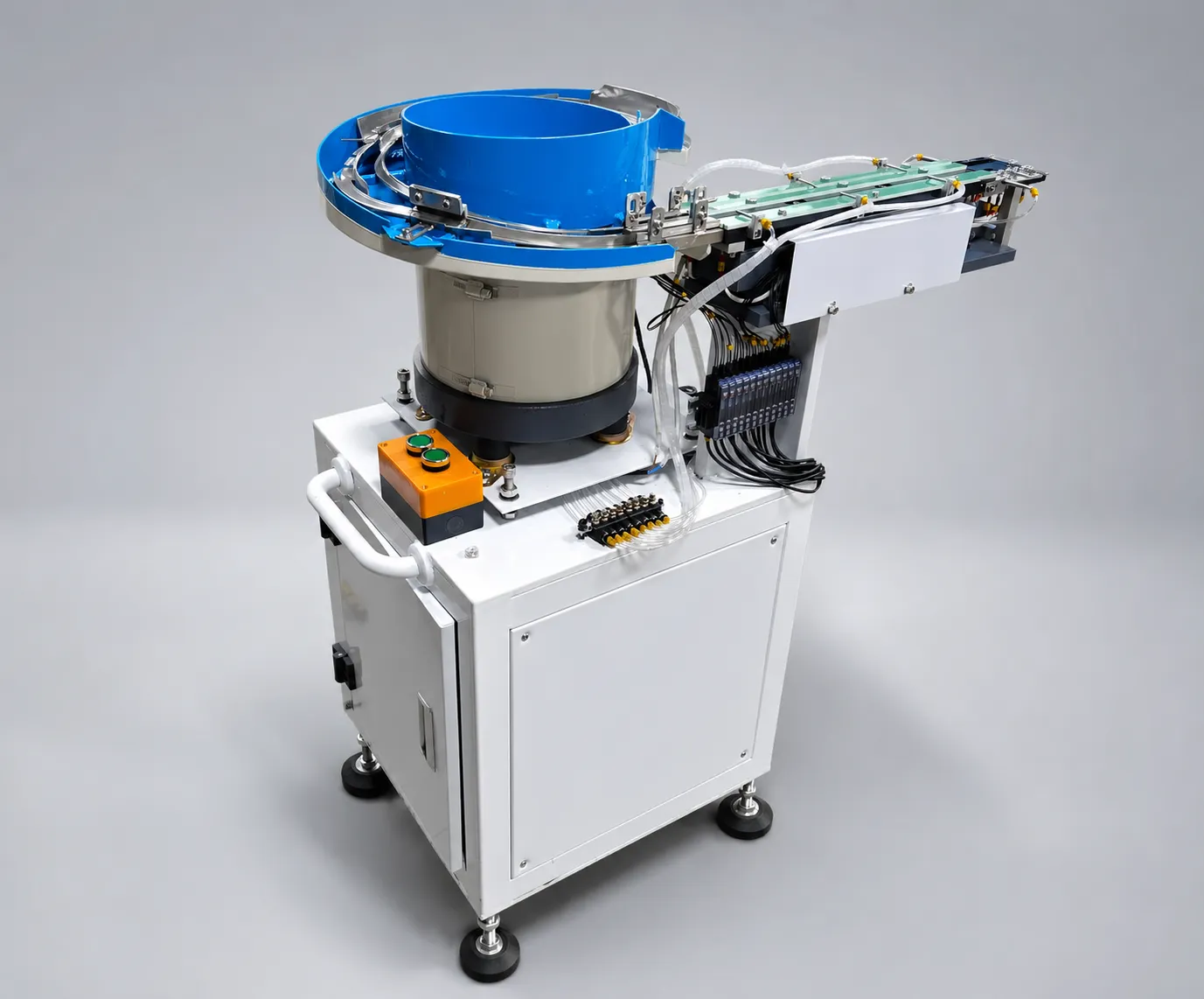
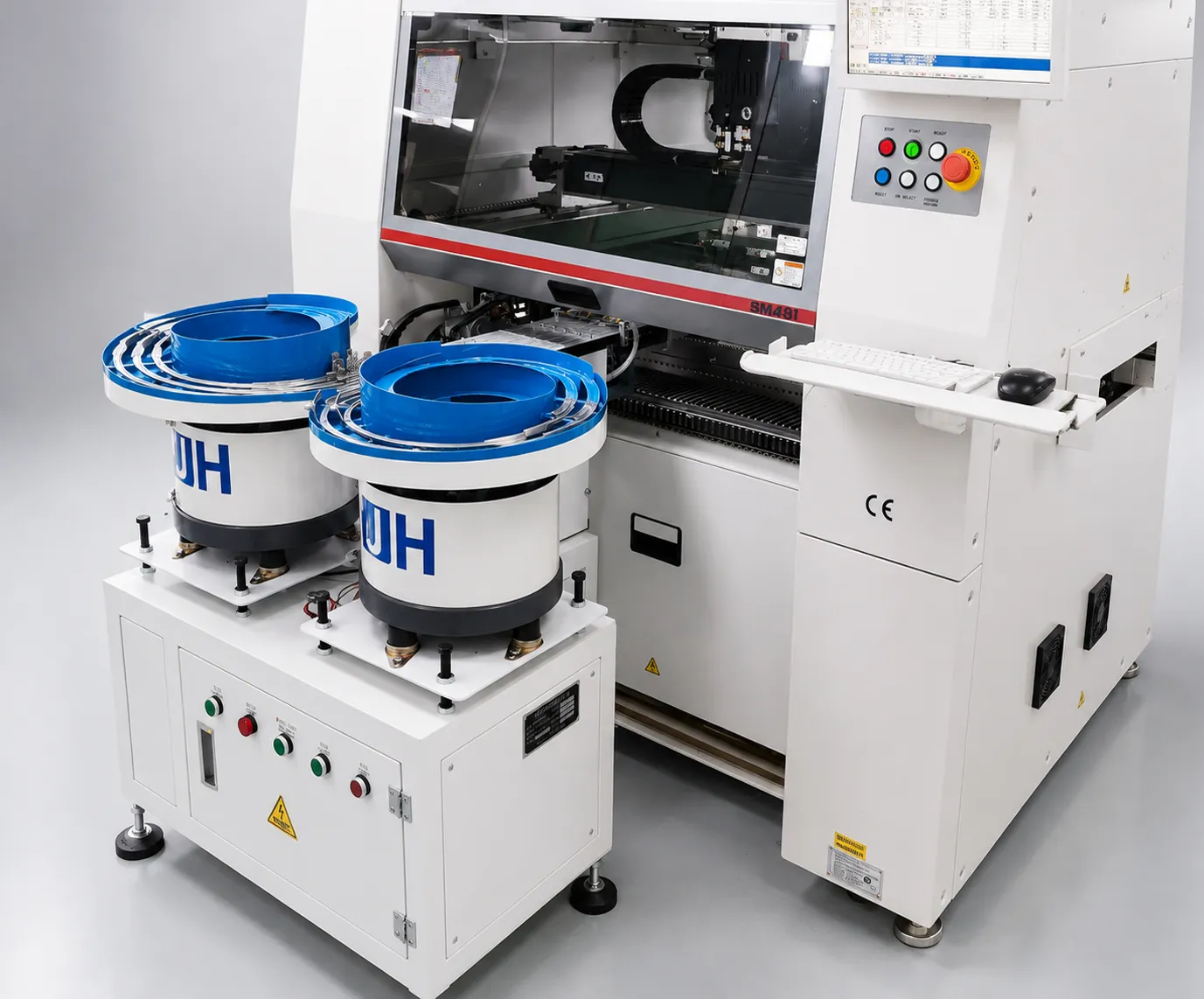
Single-bowl DPS-2 lens feeder with its discharge track and control cabinet, photographed in the studio
Single-bowl DPS-2 lens feeder: bowl, discharge track and control cabinet.

Troubleshooting Table: 5 Common Faults

Symptom Most Likely Cause Check Corrective Action Verification
Sudden rejection increase on one channel Sensor fiber tip contamination Sensor amplifier display values Clean tips with IPA + lint-free swab; recalibrate if erratic 10 test lenses pass clean
Inconsistent feeding speed Pneumatic supply irregularity Jog cylinder sound; FRL gauge; drive belt tension Fix air supply; re-tension/replace belt; verify 220V ±10% Dual-frequency PID holds <5% speed variation
Lenses jamming at orientation gate Track width out of tolerance Calibrated knob vs. PLC profile reference Increase width in 0.1–0.2mm steps; clean gate; reduce amplitude 10% No jams across 50 lenses
HMI “PLC Communication Error” / freeze Loose communication cable or EMI Reseat both cable ends; check nearby VFD/welder; cabinet temperature Reseat connectors; separate circuit; clean cabinet filter Error-free run ≥30 min
Scratched lenses at pickup Contaminated or worn track surface Inspect incoming lenses first; then track under angled light Clean track (IPA + soft brush); replace worn insert; reduce amplitude 15–20% 0 new scratches in 100 lenses
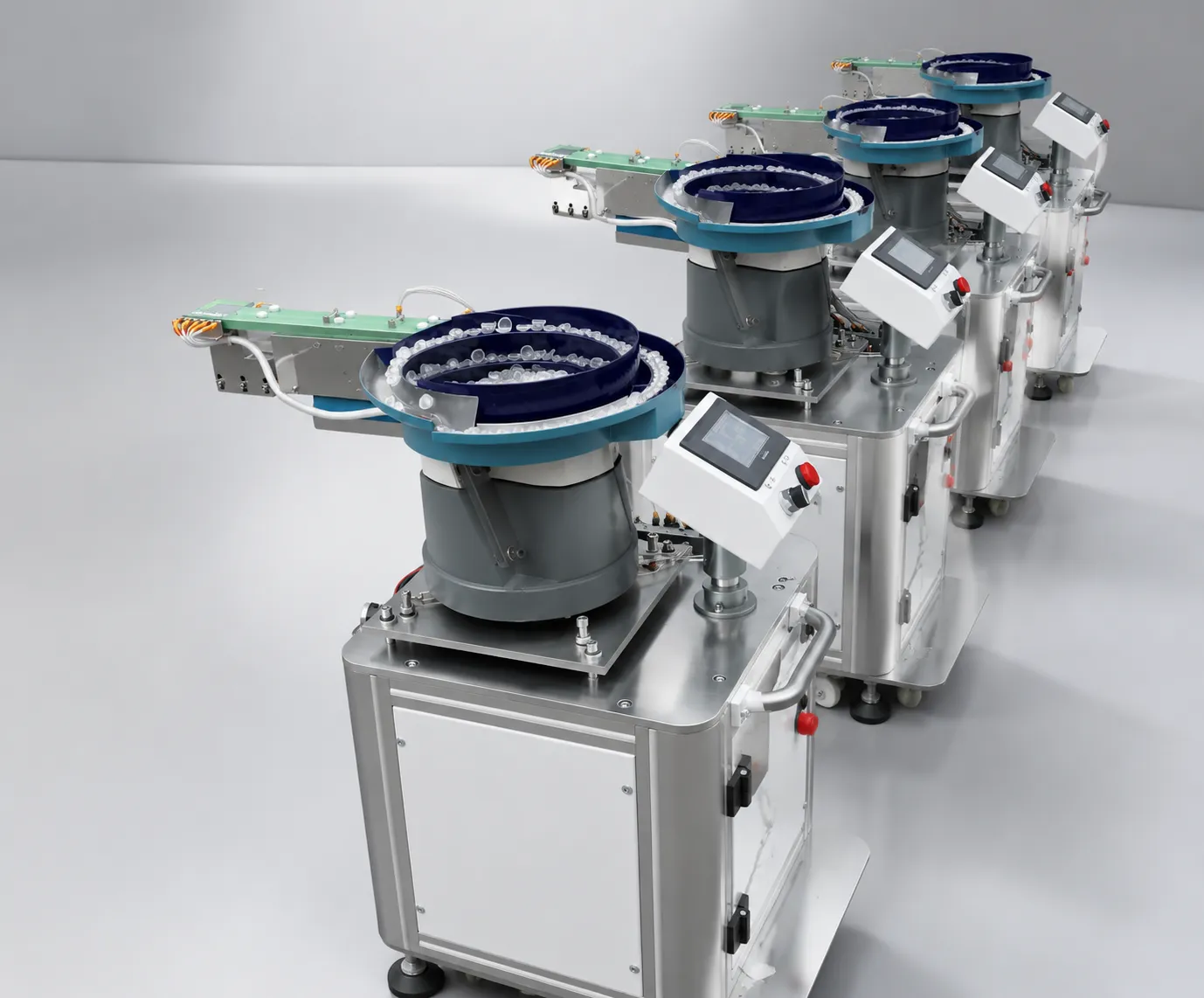
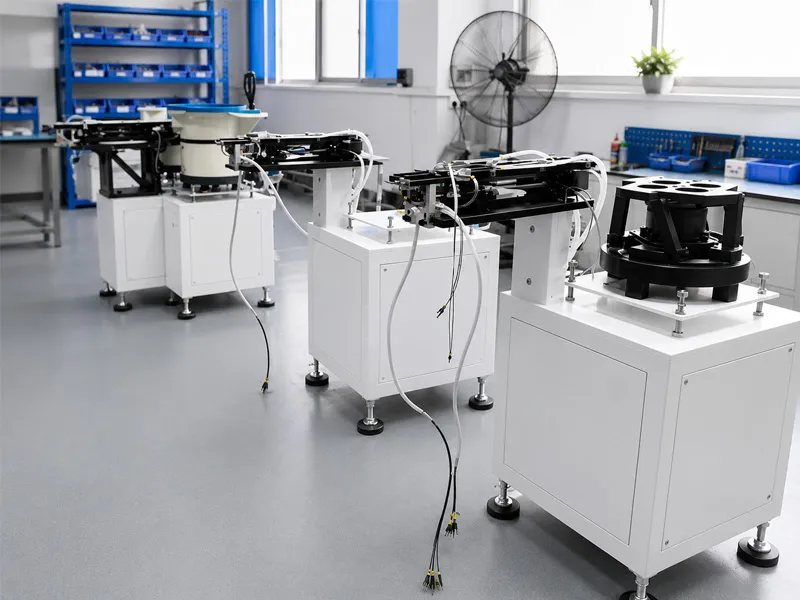
Several DPS-2 lens feeders in a row on the workshop floor
DPS-2 units in a row on the workshop floor before delivery.

Fault 1 — Sudden Rejection Rate Increase on One Channel

Symptom: one channel suddenly rejects most lenses while others run normally — typically after a shift start or a lens batch change.

Most likely cause: contamination on that channel’s sensor fiber tip. Work through the checks below in order; each step either fixes the fault or eliminates a cause.
  • Check HMI error log — note any active alarms and error codes before proceeding.
  • Clean sensor fiber tips (1 min) — isopropyl alcohol + lint-free swab on each sensor tip. Re-test. If resolved → done.
  • Clean bowl track surface (5 min) — wipe entire track with isopropyl alcohol + lint-free cloth. Re-test.
  • Check pneumatic pressure — read FRL regulator gauge. Must be 0.4–0.6 MPa. If low: check compressor, inspect air lines for leaks, adjust regulator.
  • Verify sensor calibration (3 min) — run 10 test lenses through the channel. Observe sensor amplifier display — if values are erratic or weak, recalibrate via HMI maintenance menu.
  • If unresolved → Contact JHIMS support via phone (86-755) 86700443, WhatsApp with photos of sensor displays and HMI error log. Engineer will guide advanced diagnosis.
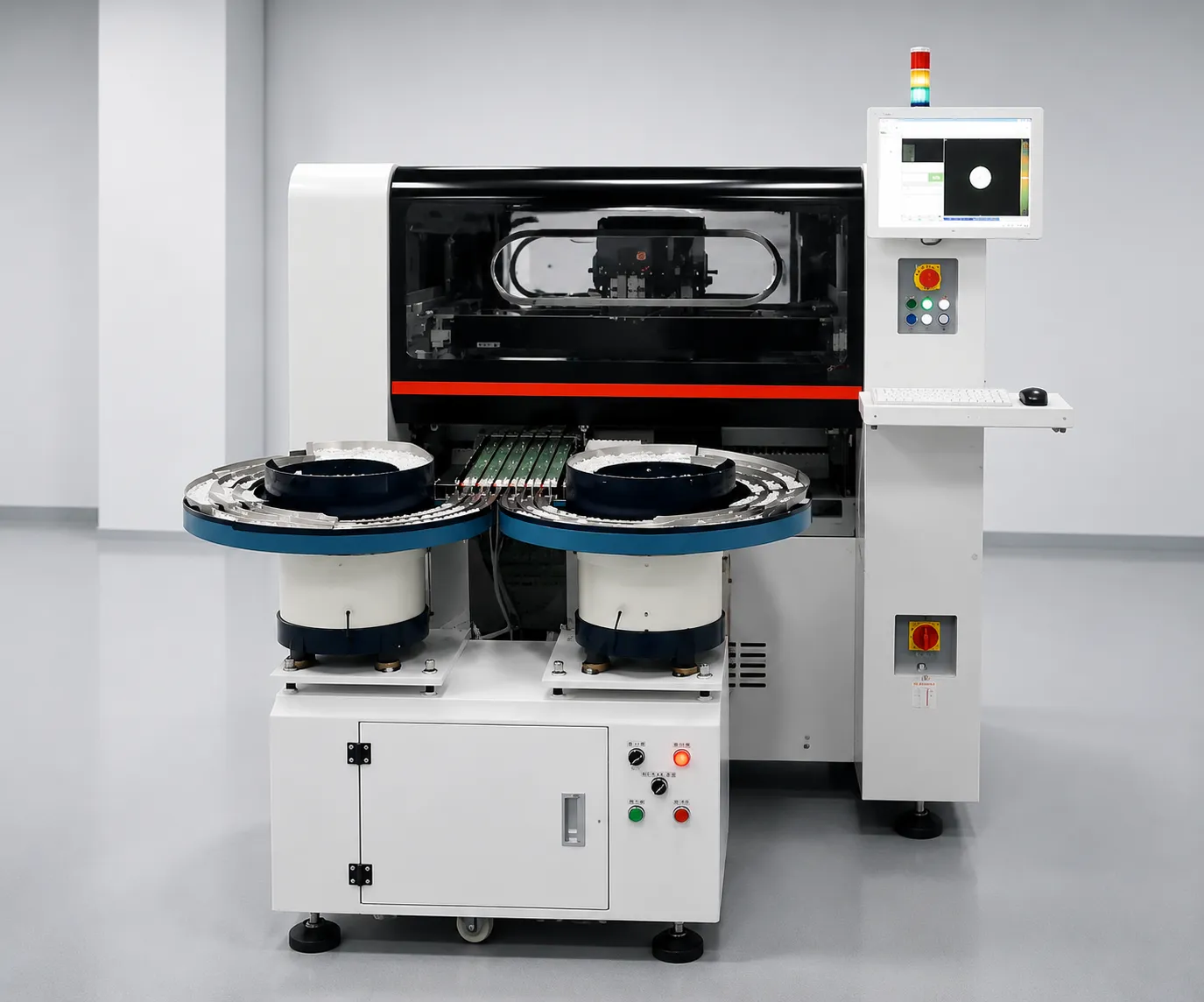
Two DPS-2 lens feeders serving a Hanwha placement machine on the customer's line
Two DPS-2 feeders serving a Hanwha placement machine on the customer’s line.

Fault 2 — Inconsistent Lens Feeding Speed

Symptom: feed rate fluctuates, UPH drops, or the mounter intermittently starves for lenses without a clear alarm.

Most likely cause: irregular pneumatic supply or mechanical drag (belt, track) that the dual-frequency PID is compensating for. Work through the checks below in order.

  • Verify DPS-2 baseline: dual-frequency PID control should maintain <5% speed variation. If higher, the PID system is compensating for an external factor.
  • Observe pneumatic jog (2 min) — watch the jog cylinder actuation. Listen for irregular “pfff” sounds indicating inconsistent air delivery. If irregular: check pressure stability, clean/replace FRL filter, inspect cylinder for seal wear.
  • Inspect track surface (3 min) — run finger along the track (machine off). Does it feel smooth or rough/uneven? Rough patches cause variable friction. If worn: order track insert replacement from JHIMS.
  • Check drive belt (5 min) — open belt guard. Look for cracks, fraying, glazing (shiny surface). Press belt — should have firm tension (~5mm deflection under moderate finger pressure).
  • Measure supply voltage — multimeter at machine input: 220V ±10%. If fluctuating >±5%: install line conditioner or small UPS.
  • Contact JHIMS for remote profile optimization using your actual production speed data.

Fault 3 — Lenses Jamming at the Orientation Gate

Symptom: lenses stop inside the orientation gate or exit at wrong angles; jam alarms repeat on the same spot.

Most likely cause: track width out of tolerance for the current lens, gate contamination, or amplitude set too high. Work through the checks below in order.
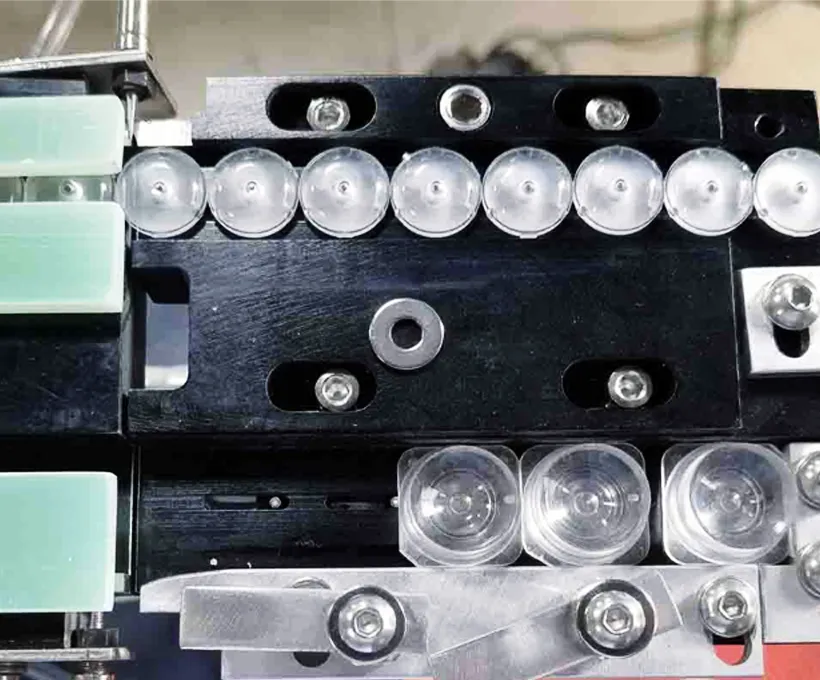
  • Verify track width (1 min) — check calibrated knob position against PLC profile reference for this lens type. Increase by 0.1–0.2mm increments until jamming stops.
  • Inspect jammed lenses — retrieve a jammed lens and examine under magnification. Flash (excess molding material) at the parting line or variation from expected geometry? → Supplier quality issue. Create temporary wide-tolerance PLC profile.
  • Clean orientation gate (3 min) — isopropyl alcohol + small brush to clean the gate area thoroughly. Lens residue accumulates here because it’s a high-contact zone. Re-test.
  • Reduce vibration amplitude (HMI adjustment, 1 min) — decrease circular vibration by 10%. Too-high amplitude causes lenses to “bounce” at the gate rather than smoothly orienting.
  • Inspect gate surface — chipped, worn, or rough? A damaged gate cannot orient lenses correctly. Replace bowl track insert.
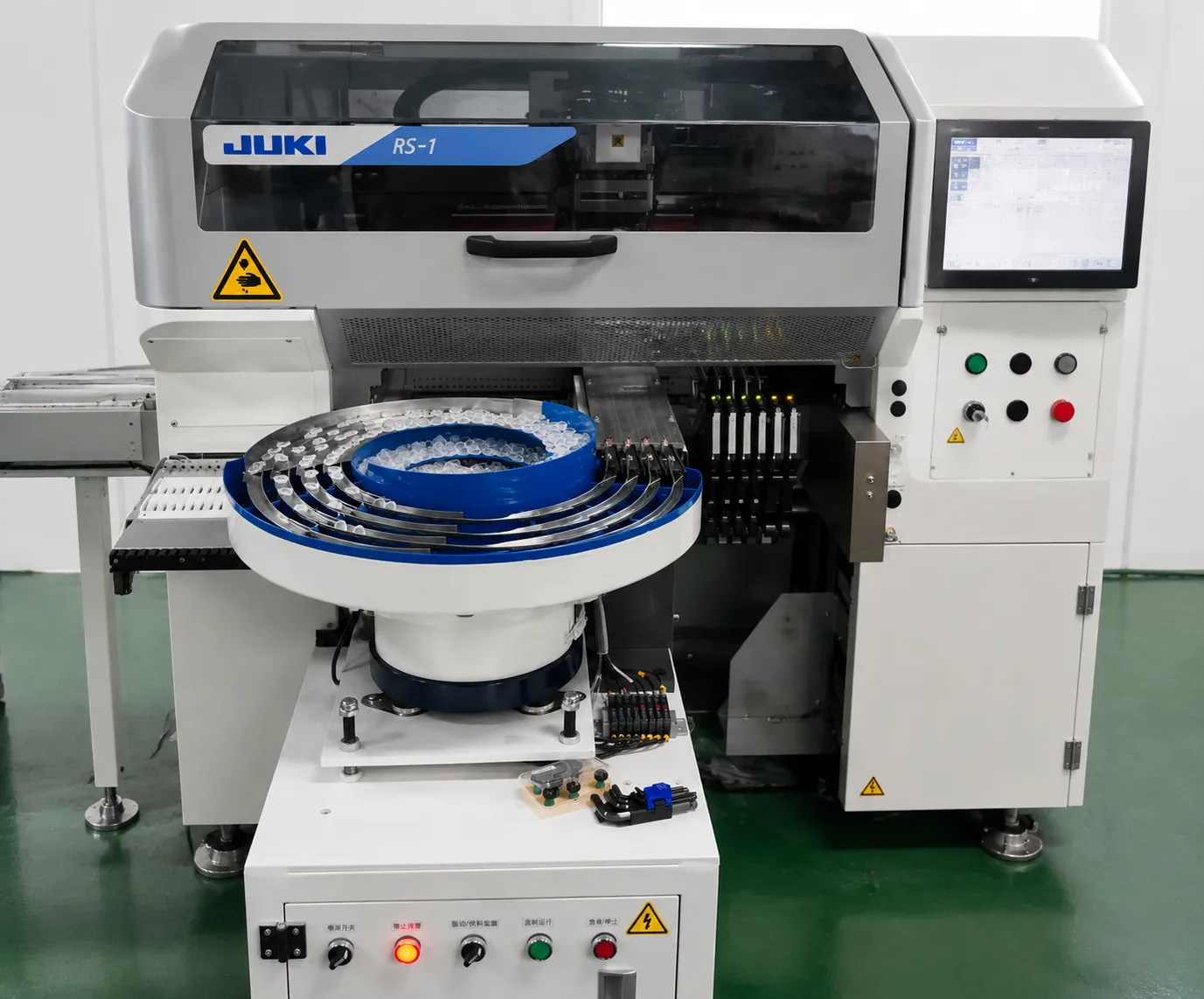
DPS-2 lens feeder indexing into a JUKI RS-1 placement machine
DPS-2 lens feeder indexing into a JUKI RS-1 placement machine.

Fault 4 — HMI Shows “PLC Communication Error” or Freezes

Symptom: the HMI shows a “PLC Communication Error”, the screen freezes, or inputs stop registering while the machine is powered.

Most likely cause: a loose communication cable or electrical noise (EMI) from nearby equipment. Work through the checks below in order.

  • Check cables (5 min) — power off machine. Open control cabinet. Visually inspect the communication cable — both ends should be firmly seated. Disconnect and reconnect each connector (reseating often resolves intermittent contact).
  • Clean HMI screen (1 min) — remove protective overlay, clean both the overlay and the screen surface. A dirty overlay can cause phantom touch events that appear as screen “freezing.”
  • Check electrical environment — has new equipment been installed nearby (large motor, VFD, welding machine)? These generate EMI. Ensure the DPS-2 is on a separate electrical circuit. Verify ground connection quality.
  • Check control cabinet temperature — unusually warm? Clean or replace the cabinet ventilation filter. Verify the cooling fan is operating.
  • Consider installing a UPS (1 KVA, ~$150) — provides clean, stable power and bridges short interruptions.
  • If persistent → Contact JHIMS with a photo of the error screen. Engineer will guide PLC diagnostic checks. If hardware fault confirmed, replacement HMI or PLC module dispatched under warranty.

Fault 5 — Scratched or Damaged Lenses at Pickup

Symptom: lenses arrive at the pickup point with new scratches or chips that were not present in incoming packaging.

Most likely cause: a contaminated or worn track surface, or excessive amplitude pressing lenses against the track. Work through the checks below in order.
  • Inspect incoming lenses — examine 20 lenses from supplier packaging under magnification BEFORE feeding. Are scratches already present? → Supplier quality issue. Provide evidence to lens supplier.
  • Clean track thoroughly (5 min) — abrasive particles (dust, metal fragments, lens chips) embedded in the track surface act like sandpaper. Isopropyl alcohol + soft brush. Re-test with 100 lenses — inspect for new scratches.
  • Inspect track coating — examine track surface under bright light at an angle. Does the coating appear uniformly smooth, or are there worn patches? Worn coating → replace track insert or re-coat.
  • Reduce vibration amplitude — decrease circular vibration by 15–20%. Gentler vibration = less lens-to-track contact force. Monitor rejection rate — if stays <0.5%, keep the lower amplitude.
  • Verify track width — the correct gap = lens diameter + 0.2–0.5mm clearance. Too narrow and lenses scrape against both rails continuously.
  • For ongoing scratch issues — consider the anti-static configuration (softer track materials, conductive coating). Contact JHIMS for recommendations based on your lens material and scratch pattern.
Lens feeding units on the workshop floor during a service check
Feeding units on the workshop floor during a service check.

Do Not Adjust This First

  • Do not raise vibration amplitude to fix rejection. Higher amplitude masks the symptom while adding lens-to-track impact — scratches and bounce usually get worse. Find the cause instead: sensor tips, track width, or contamination.
  • Do not change the PLC profile for one bad batch of lenses. A profile change hides supplier quality problems. Confirm incoming lens geometry against the drawing first; only use a temporary wide-tolerance profile when lenses are confirmed off-spec.
  • Do not recalibrate sensors repeatedly without cleaning them. Recalibration stores compensations for a dirty tip; after cleaning, those stored offsets make readings wrong again. Always clean first, calibrate last.
  • Do not adjust PID parameters from the maintenance menu. The dual-frequency PID loops are factory-tuned; if speed variation exceeds 5%, an external factor (air supply, voltage, mechanics) is being compensated — removing that factor restores stability.
  • Do not run the bowl dry to “clear” jams. Running empty changes resonant loading and can chip the coating on the track insert. Power down and remove jammed lenses by hand.

When to Contact JHIMS

Resolve it yourself when: the symptom matches one of the five faults above and two full check passes clear it — cleaning, pressure, track width, and calibration cover the majority of field issues.

Contact JHIMS when:

  • The same fault returns within a shift after a correct fix — this points to a worn part needing replacement.
  • You see alarms or behavior not listed here, or the HMI reports a hardware fault.
  • Speed variation stays above 5% after air, voltage, and mechanical checks all pass.
  • Lenses are consistently damaged and incoming quality is confirmed good — tooling may need review.

How to escalate: message JHIMS on phone (86-755) 86700443, WhatsApp with a short video of the symptom, photos of the sensor amplifier displays and the HMI error log, your lens diameter and type, and the current rejection rate. Most issues are diagnosed remotely within 2 hours and critical spares dispatch from Shenzhen by DHL/FedEx within 48 hours; lifetime technical support is included.

Preventive Maintenance That Prevents the Five Faults

Almost every fault here has a maintenance action that prevents it. Fiber-tip contamination is the most common cause of a sudden rejection increase on one channel: IPA and a lint-free swab clear it in a minute, so do it at every shift start or lens batch change. Air pressure behaves the same way — the DPS-2 expects 0.4–0.6 MPa, and a supply drifting below that band reads as inconsistent feeding.

Track condition is the third recurring theme. Lenses run continuously against the track and the orientation gate, so a clean, correctly set track presents lenses consistently while debris or a drifted width produces jams and orientation failures. Checking track width and cleanliness — and confirming amplitude is at its baseline rather than raised to compensate for a dirty track — takes a few minutes.

Routine that prevents the five faults in this guide. Times assume a two-shift production day; a one-shift line can stretch the intervals proportionally.

Interval Action Fault it prevents
Every shift start Clean sensor fiber tips with IPA and a lint-free swab Fault 1 — sudden rejection increase on one channel
Every shift start Check air supply is within 0.4–0.6 MPa Fault 2 — inconsistent feeding speed
Every shift start Confirm the correct lens profile is selected Orientation failures caused by a profile mismatch
Every shift start Visual check of track and orientation gate for debris Fault 3 — jamming at the orientation gate
Weekly Check track width against the current lens specification Fault 3 and orientation failures
Weekly Inspect the track surface for wear or embedded particles Fault 5 — scratched lenses at pickup
Weekly Confirm amplitude is at the recorded baseline value Masks other faults when raised
Monthly Check communication cable routing and connectors for strain Fault 4 — PLC communication error or HMI freeze
Monthly Verify pneumatic fittings for leaks or contamination Fault 2 — slow or fluctuating feed
After each lens batch change Clean the bowl and track of the previous lens type Mixed-lens contamination and false rejection alarms
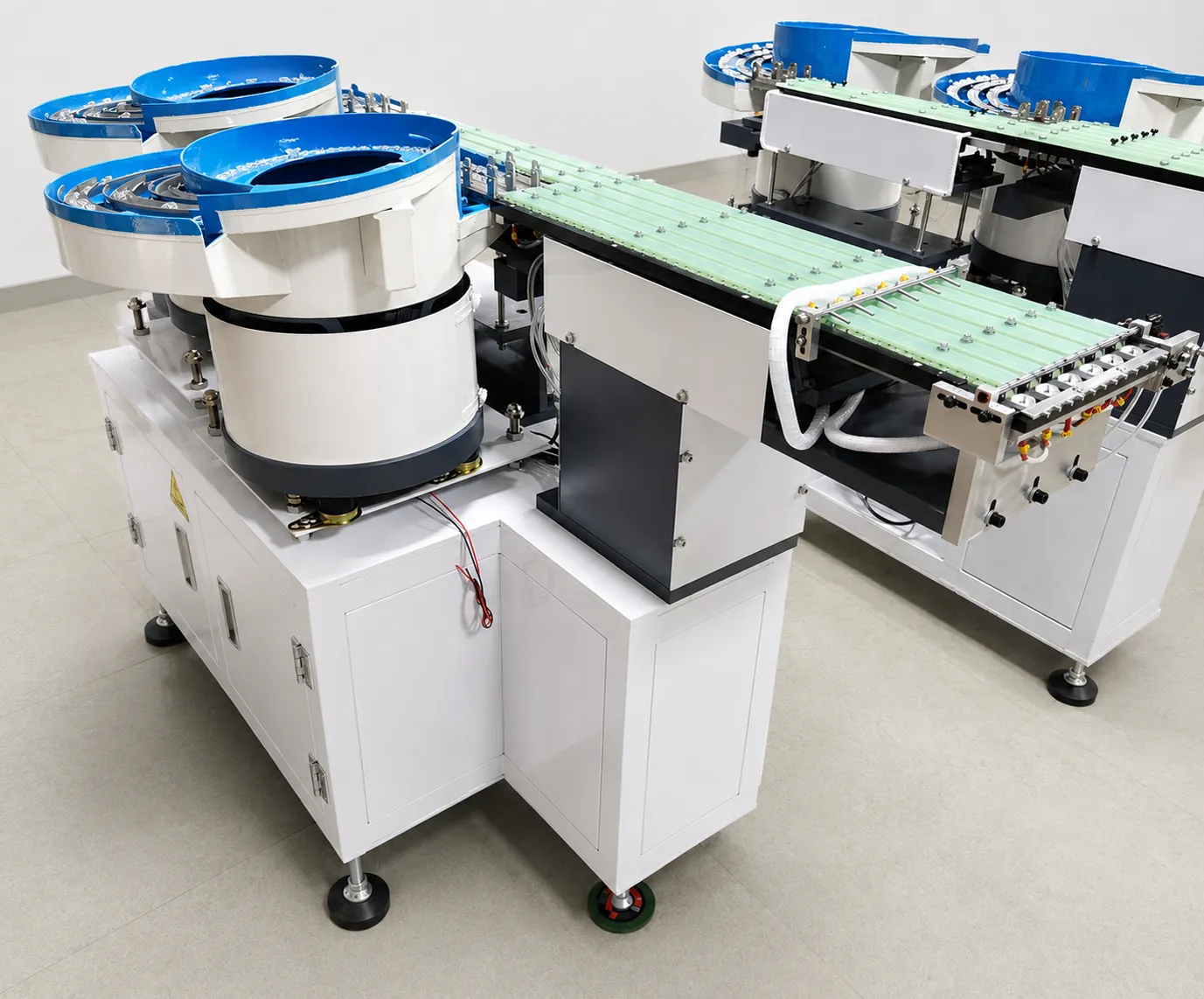
Two DPS-2 lens feeders with their green discharge tracks side by side
Two DPS-2 units with their green discharge tracks side by side.

Frequently Asked Questions

The DPS-2 powers on but no lenses reach the track. What should I check first?▼
Check the bowl insert seating — an unseated insert lifts lenses off the vibration surface. Then verify air pressure at 0.4–0.6 MPa and confirm the PLC start signal is active on the HMI I/O screen.
Lenses jam at the track exit. What causes this?▼
Exit jams usually mean the insert gate set does not match the lens geometry, or the direct-track frequency setting drifted more than ±5 Hz from the commissioning value. Re-seat the gate and re-run auto-tuning.
Feeding rate dropped after several hours of operation. Why?▼
Most often dust or lens fragments have accumulated under the bowl surface. Power off, clean with dry compressed air at low pressure, and check the controller’s amplitude reading — it should stay within 5% of baseline.
Lens orientation is inconsistent across channels. How do I fix it?▼
Each channel has an independent PID controller. Compare amplitude and frequency values channel-by-channel on the HMI, then re-run the auto-tune routine on the outlier channel.
The controller shows a drive fault alarm. What is the procedure?▼
Note the fault code, power down, and inspect the corresponding coil pack connector. Coil packs swap individually in under 10 minutes — spares are included in the consumables kit.
How often should the DPS-2 be serviced?▼
Daily: wipe the bowl surface and check air pressure. Monthly: inspect gate inserts for wear. Annually: full drive inspection and PID re-tune. Heavy 24/7 lines should shorten the monthly check to weekly.
Can I run lenses smaller than 3 mm on the DPS-2?▼
The standard bowl supports 3–25 mm. Below 3 mm, a custom micro-lens insert is required — contact JHIMS with lens drawings for an engineering evaluation before ordering.
Where do I get replacement bowl inserts and spare parts?▼
Order by serial number from JHIMS with email ([email protected]), phone (86-755) 86700443, WhatsApp or Telegram. Common spares — coil packs, gate sets, inserts — ship within 7 days.
How do I know whether a rejection increase is a sensor problem or a feeding problem?▼
Check the sensor amplifier display first. If its values are erratic or lower than the recorded baseline, the tip is contaminated and cleaning with IPA and a lint-free swab resolves it in about a minute. If the amplifier reads normally but lenses still reject, move to the mechanical checks: track width, orientation gate condition and amplitude setting.
Why should I not raise vibration amplitude to fix rejection?▼
Higher amplitude masks the symptom while increasing lens-to-track impact, so scratches and bounce usually get worse and a mechanical fault is hidden. The correct sequence is to find the cause — sensor tips, track width or contamination — and restore the baseline setting afterwards.
How often should the sensor fiber tips be cleaned?▼
At every shift start, and additionally after a lens batch change. It is the most common cause of a sudden rejection increase on a single channel, and it is the cheapest preventive action on the machine.
What air pressure does the DPS-2 need, and what happens if it drops?▼
The machine expects 0.4–0.6 MPa. Below that band, pneumatic handling becomes slow or intermittent, which usually appears as inconsistent feeding speed or a mounter that intermittently starves for lenses without a clear alarm.
Lenses jam at the orientation gate — what should I check first?▼
Check the track width against the specification for the lens in production, clean the gate of debris, and confirm amplitude is not set above the recorded baseline. Excess amplitude pushes lenses into the gate rather than guiding them through it.
The HMI shows a PLC communication error. Is the controller faulty?▼
Usually not. The common causes are a loose communication cable or electrical noise from nearby equipment. Power the machine off, check cable routing and connectors for strain, separate signal cables from power cables where possible, and restart. Persistent errors after these checks point to a hardware issue worth reporting.
Lenses arrive at the pickup point with scratches. What causes it?▼
A contaminated or worn track surface, or excessive amplitude pressing lenses against the track. Inspect incoming lenses first to confirm the scratches are new, then inspect the track surface and restore the baseline amplitude.
How do I verify a fix actually worked?▼
Run ten test lenses after the intervention and confirm they pass clean. If the same fault returns within a shift after a correct fix, the cause is likely wear rather than contamination and should be reported with the fault history.
When should I contact JHIMS instead of fixing it in house?▼
Contact JHIMS when the same fault returns within a shift after a correct fix, when a fault does not match any of the five documented patterns, or when a worn part needs replacement. Include the machine model, lens size, symptom, photos or video and current rejection rate; diagnosis typically comes back within two hours.
What should not be changed during troubleshooting?▼
Do not change the PLC profile for one bad batch of lenses, because a profile is the record of a validated setup and changing it invalidates the acceptance data. Correct the batch or the mechanical cause instead.
Does cleaning affect the recorded profile or the settings?▼
No. Cleaning sensor tips, tracks and the gate does not alter stored parameters. After cleaning, confirm that amplitude and track settings still match the recorded baseline rather than adjusting them by feel.
How much of the machine can be maintained by the customer’s own technicians?▼
Cleaning, pressure checks, track width verification and visual inspection of the track and gate are operator-level tasks and cover the majority of field issues. Any intervention that requires changing stored parameters or replacing worn mechanical parts should be done with JHIMS support.

Send Your DPS-2 Problem to JHIMS Engineering

Include your machine model, lens size, symptom description, photos or video, and current rejection rate — our engineers respond with a diagnosis path, typically within 2 hours.

Seeing the mechanism helps diagnose the symptom: compare yours against the DPS-2 lens feeder in normal operation and the bowl feeder set-up. Send a short symptom video on WhatsApp and our engineers reply directly; more footage on the JHIMS channel.

Real deployment: how a lens-module maker in Xiamen ended repeat feeder purchases — DPS-2 lens feeder repeat-purchase case study.


📞 (86-755) 86700443✉ [email protected]